/ How-to
How to export your ACR / PokerKing / Black Chip hand history
ACR, PokerKing and Black Chip Poker all run on the same WPN (Winning Poker Network) - whichever skin you play, the hand-history files live at the same path.
- 1Open the client (Americas Cardroom or PokerKing) and sign in.
- 2Click the settings gear in the top-right corner → "Hand Histories" in the left menu. Another way: "Game Info" at the top → "View Hand History" → the "Options" button at the bottom.
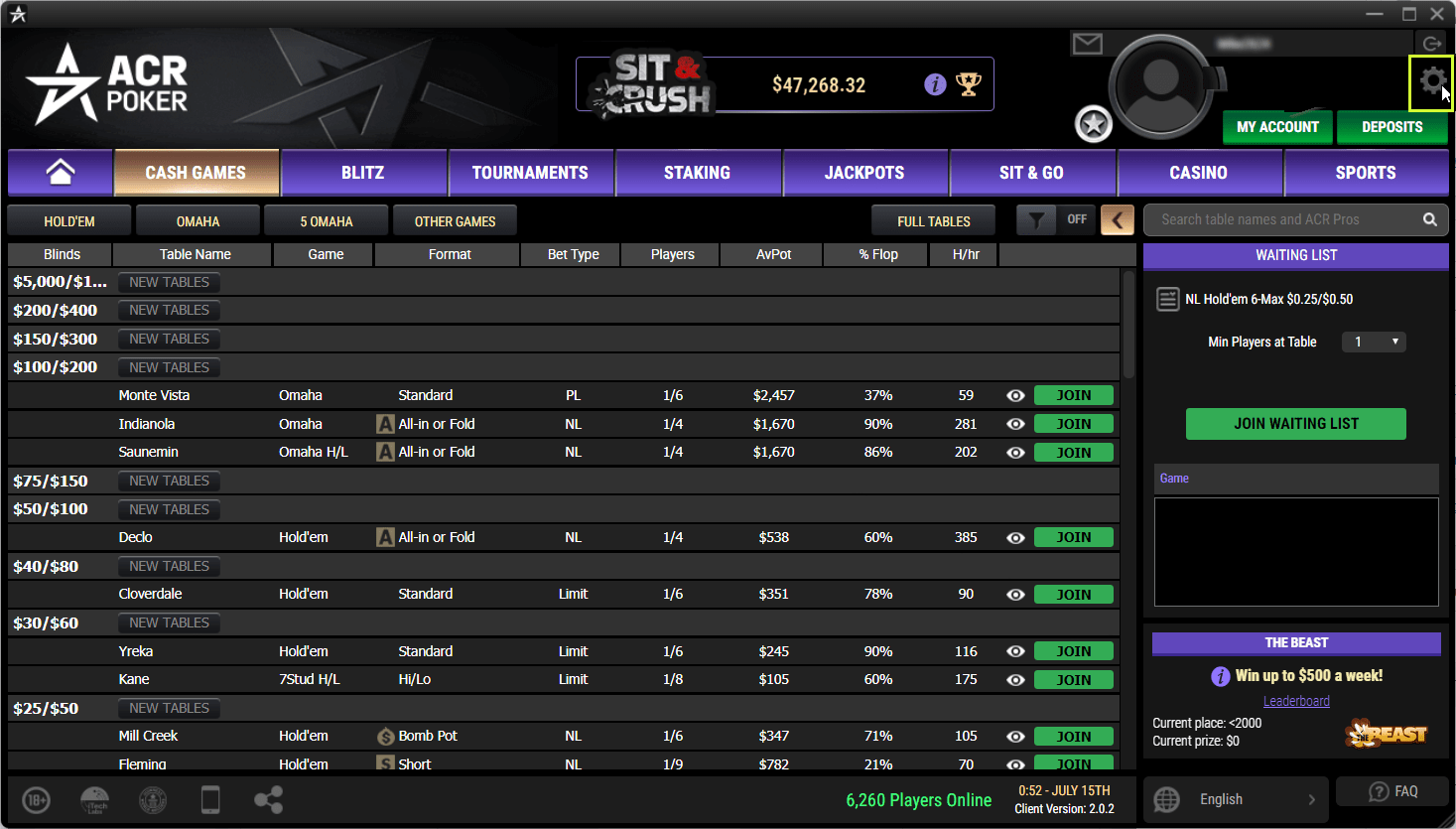
- 3Tick "Save Hand History".
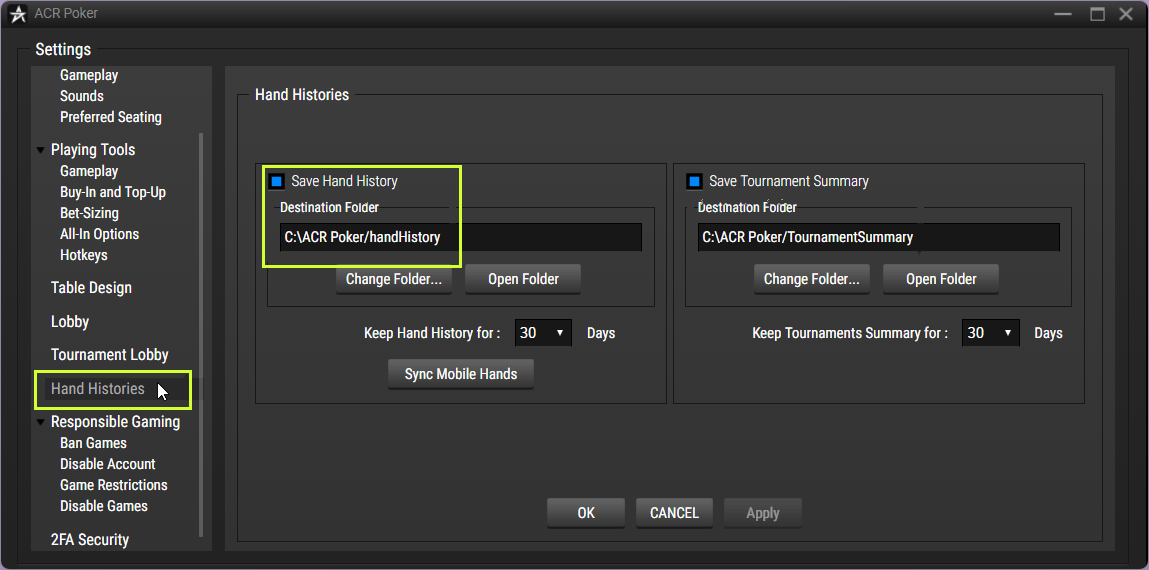
- 4Look at the "Destination folder" field - that's the folder with the files.
- 5Open that folder and grab the .txt files.
Folder with the files
default: C:\AmericasCardroom\handHistory
You upload: .txt
Playing on other rooms too - all the guides are here
Found the files - upload a tournament, the first review is free.
Upload a tournament