/ How-to
How to export your Red Star Poker / Betfair / Betsson hand history
Red Star, Betfair and Betsson are different brands on the same iPoker network - any of its skins works. Important: the client needs to be set to English, or the history may not save correctly.
- 1Open the Red Star Poker client (or another iPoker room) and sign in.
- 2In the lobby open "My Account" → "Settings" → the "General" section.
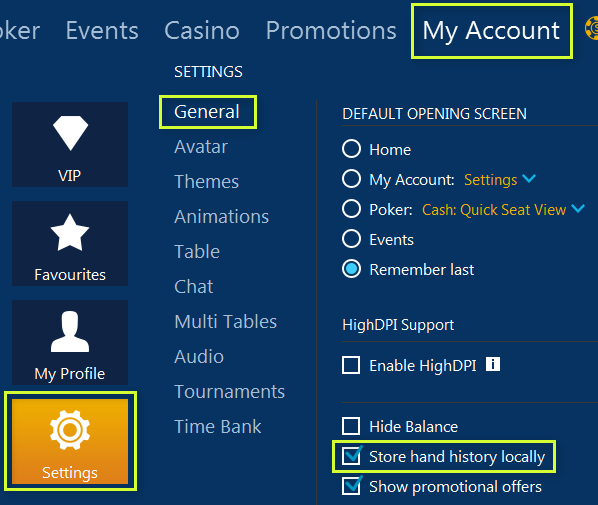
- 3Tick "Store Hand History Locally".
- 4Open the folder with the files (path below; the client name in the path is your room).
- 5Grab the hand-history files - they're .xml or .txt.
Folder with the files
AppData\Local\[client name]\data\[your nickname]\History\Data
You upload: .xml or .txt
The client must be in English - otherwise the history might not save correctly. Windows hides the AppData folder - turn on showing hidden items.
Playing on other rooms too - all the guides are here
Found the files - upload a tournament, the first review is free.
Upload a tournament