/ How-to
How to export your Winamax hand history
In the new Winamax client, history saves to disk automatically, no checkbox required - you just need to find the folder. The old client needs it turned on manually.
- 1Open the Winamax client and sign in.
- 2In the top-left corner click the menu button (three bars).

- 3In the menu pick "Options".
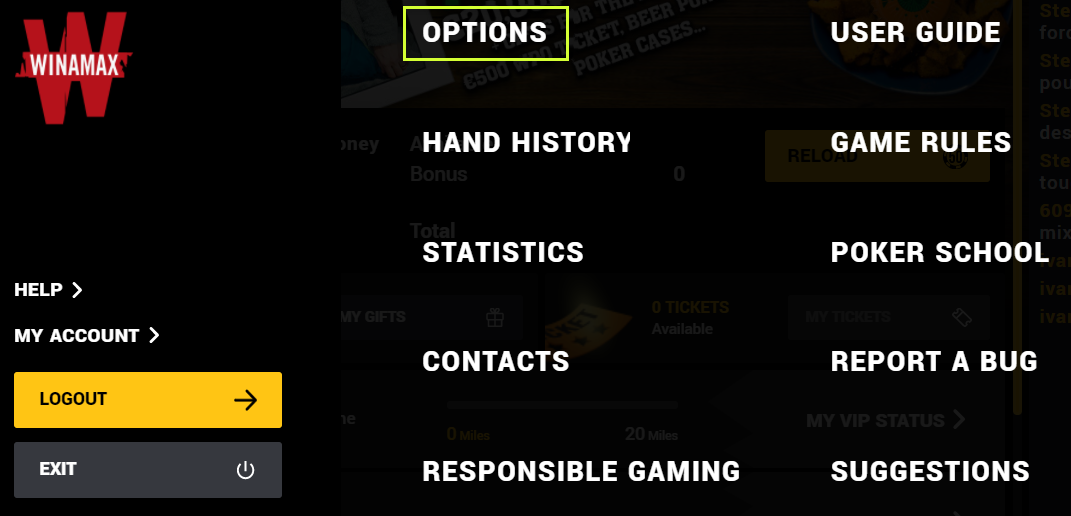
- 4In the list on the left open the "Tracker" section - the "Hand history file location" row shows the folder with your hand history. The "Open" button opens it.
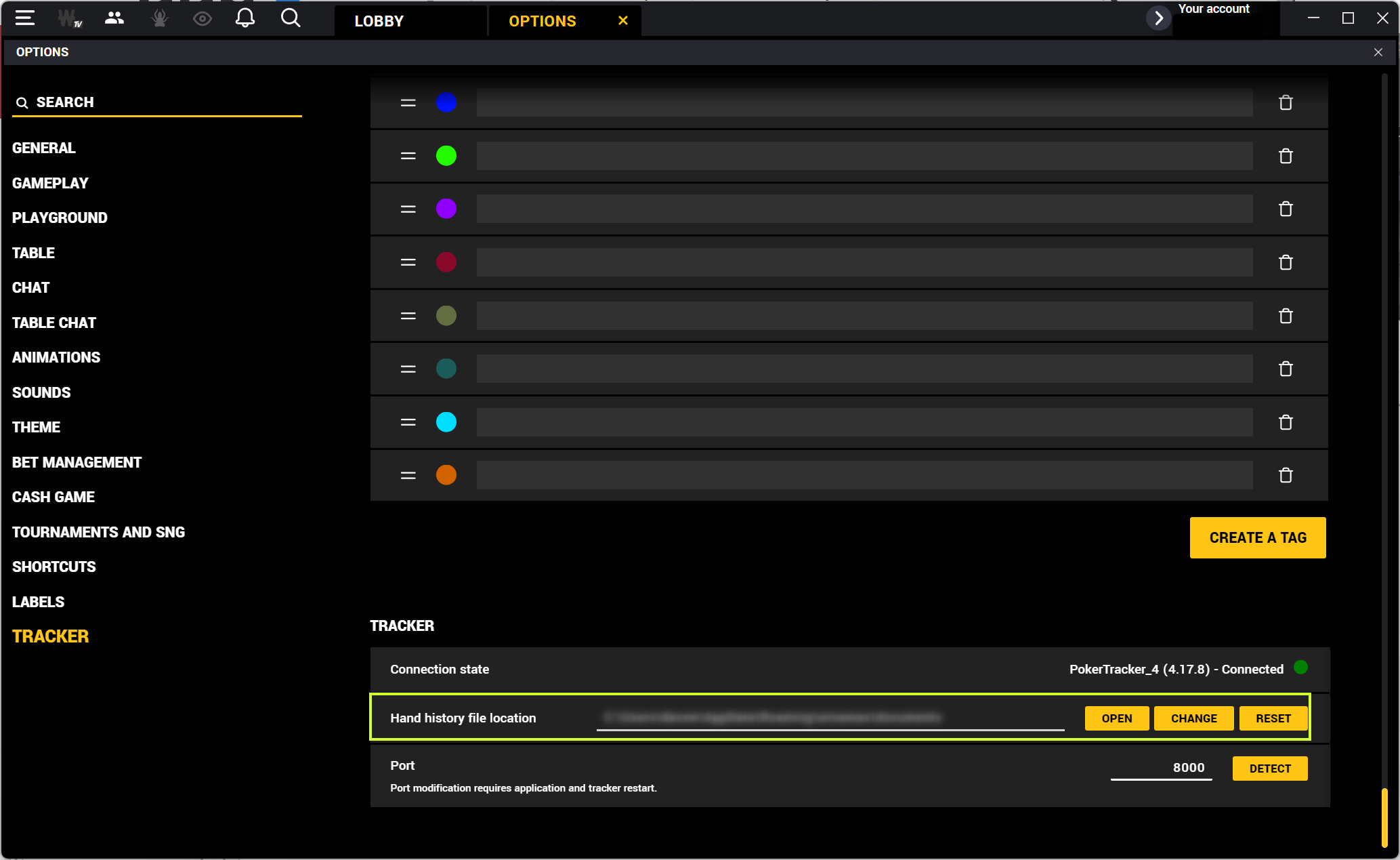
- 5Grab the tournament .txt files from that folder.
Folder with the files
AppData\Roaming\winamax\documents\accounts\[your nickname]\history
old client: Documents\Winamax Poker\accounts\[your nickname]\history
You upload: .txt
In the new client the history is saved to disk automatically - no checkbox needed. The old client has one: User Settings → Game settings → "Save My Hand History". Windows hides the AppData folder - in Explorer turn on "Show hidden items" (the "View" tab), otherwise you won't find it.
Playing on other rooms too - all the guides are here
Found the files - upload a tournament, the first review is free.
Upload a tournament